Instant language explanations inside Netflix.
Click any word in the subtitles. The show pauses and you hear what it means in that line, in your language.
ClickClick any word
HearHear what it means in this line
KeepKeep the word: it stays gold
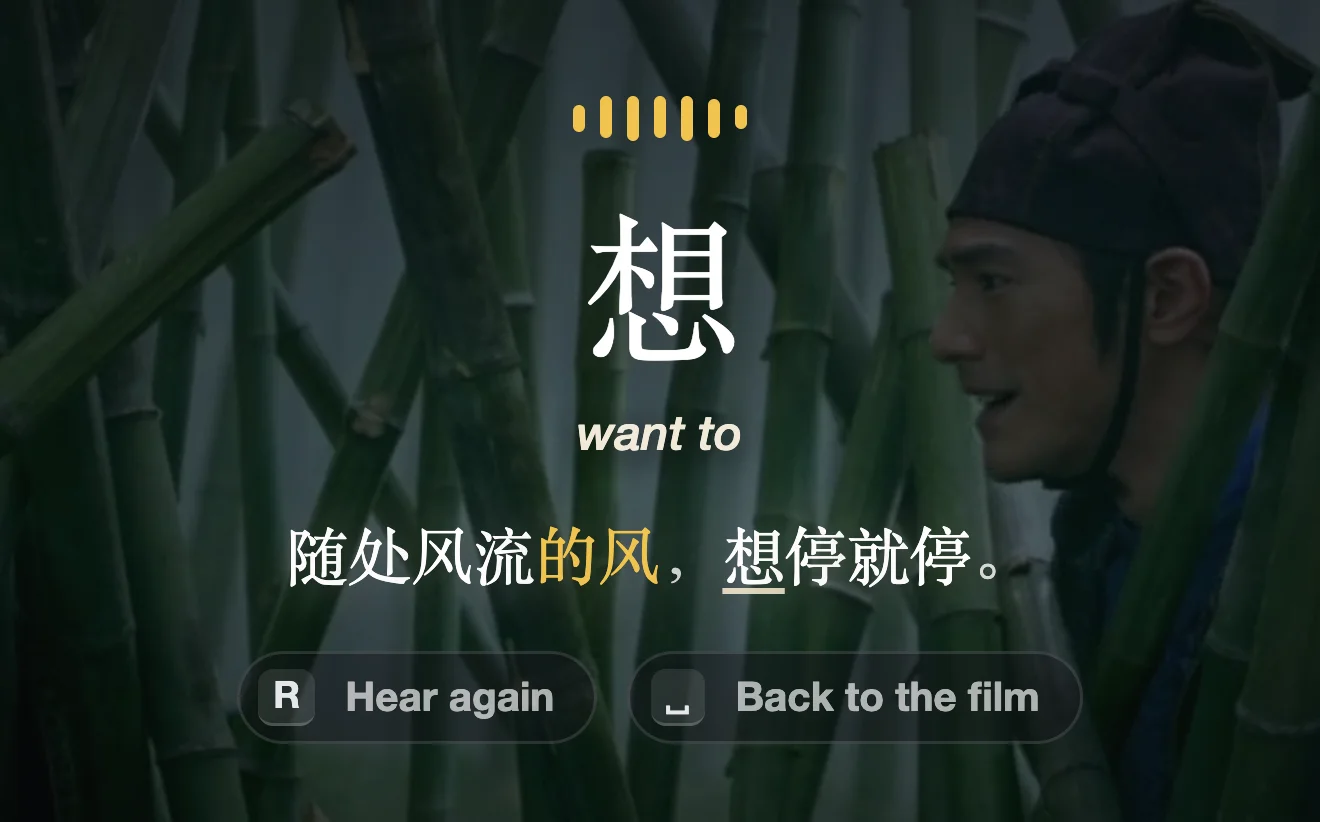
You hear what it means here, and why.
Each explanation is about the line on screen, said out loud in your language. Then the line plays again.
…so the whole phrase says the wind can stop whenever it wants.
Your words turn gold.
Every word you click turns gold on your subtitles, in every show. You see how much of each episode you know.
Example progress over three months of watching. Filler words like « le » and « que » don't count.
Say the line yourself.
Hold Space and say the line. Each word lights up as you say it, with its meaning above it.
Say it comes with Pro. StreamTutor uses your microphone only when you start Say it, and we don't keep recordings.



You said 2 lines tonight
A learner holds Space on the line « Bonjour, qu'est-ce que je vous sers ? » and says it out loud. Each word lights up as they say it, with its meaning above it: bonjour, hello; qu'est-ce, what is it; que, that; je, I; vous, you; sers, serve. Six of six words: Nailed it. The translation comes back: Hello, what can I get you?
Then « Un café, s'il vous plaît. »: un, a; café, coffee; s'il, if it; vous, you; plaît, pleases. Five of five words: Nailed it. A coffee, please.
Then « Vous pouvez vous cogner à la vie. »: vous, you; pouvez, can; vous, yourself; cogner, bump; à, into; vie, life. Seven of seven words: Nailed it. You can take life's knocks.
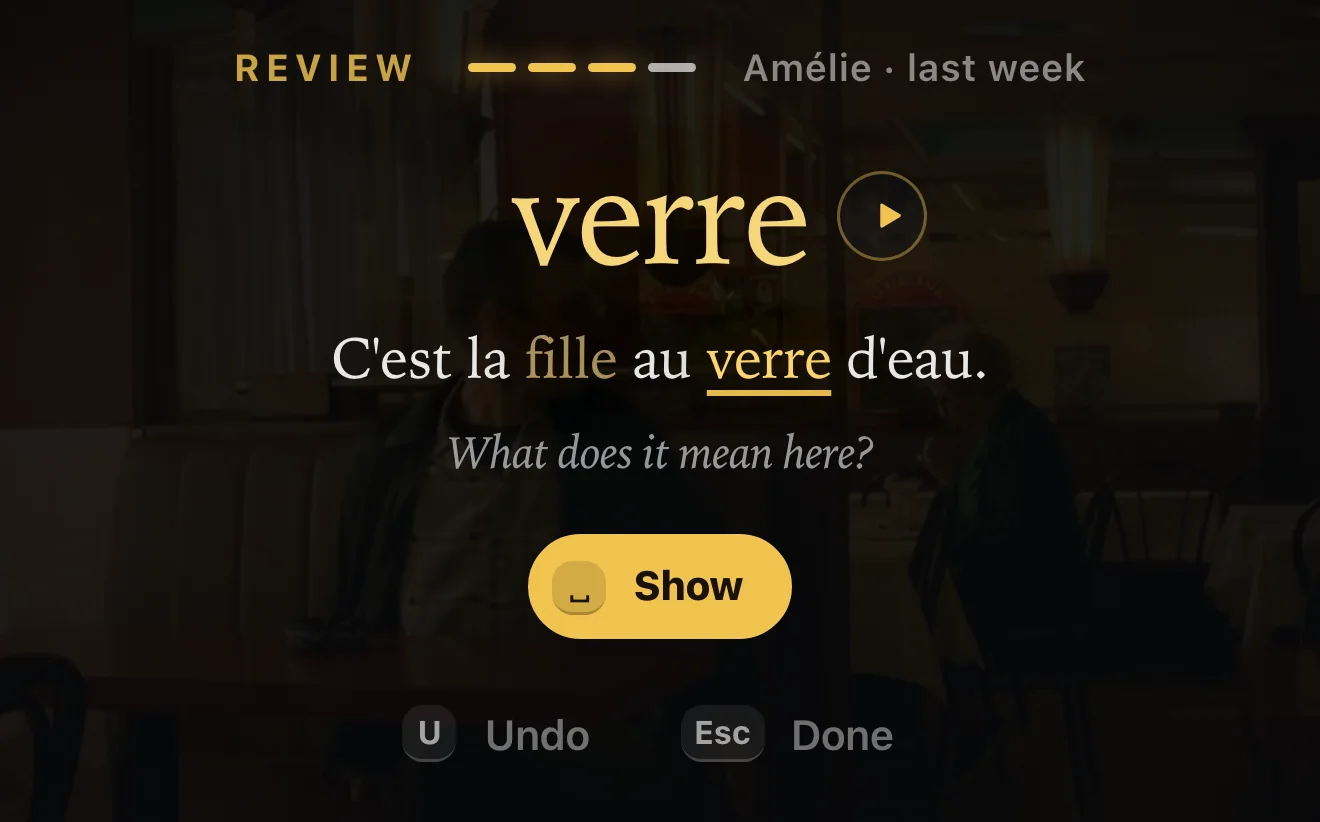
Review your words in their lines.
Your words come back on short cards, in the lines you met them in. Each card asks what the word means there. Review is part of the free plan.
Any Netflix show, in 30+ languages.
If a show has subtitles in the language you're learning, you can click its words. You hear the explanations in your own language.

324번 탈락. « 탈락 » means “out”. Squid Game
“Player 324, eliminated.”

puisque même un artichaut a du cœur ! « artichaut » means “artichoke”. Amélie
“Even an artichoke has a heart!”

O gato comeu a sua língua, é? « comeu » means “ate”. City of God
“Cat got your tongue?”

你心里只有天下 « 天下 » means “all under heaven”. Hero
“All you care about is the world.”
Also in the extension.
Hover a gold word.
You see what it means and where you met it.
Replay any line.
Press R and the line plays again, each word lighting up as it's said.
Find any word again.
Search your words and their lines, hear an explanation again, or jump back to the scene.
Mark the words you know.
Tap the basics you already know and they turn gold, with nothing to review.
Learn more than one language.
Each language keeps its own gold words and its own reviews.
FAQ
Anything else? hello@streamtutor.ai
What do I need?
Google Chrome on a laptop or desktop computer, and your own Netflix subscription. For Say it, a microphone (your laptop's built-in one is fine). StreamTutor is an independent Chrome extension, separate from Netflix, and it runs only in Chrome on a computer: phones, tablets and TV apps aren't supported. Microphone help
Is it free?
Yes. Add StreamTutor to Chrome and sign in with Google or your email: the free plan gives you 5 explanations a day, Review, and your words in gold, with no card. Pro is $8.99 a month for 60 explanations a day and Say it. You can cancel Pro anytime from your account page.
Which languages and shows work?
Any show or film on Netflix with subtitles in the language you're learning, in 30+ languages, from Spanish, French and Japanese to Korean, German and Portuguese. You hear the explanations in your own language. The classic film scenes on this page are examples we're free to show.
Will it get in the way of the show?
You see clean dual subtitles and the film. Explanations come only when you click a word, and Say it only when you hold Space. The words you've clicked show in gold.
What happens to the words I click?
A word turns gold on your subtitles the moment you click it, and stays gold wherever it comes back, in any show. Each one gets a review card, with the line you met it in and its explanation. Cards come back spaced out over days, and you can review whenever you like, in the player or in a tab without Netflix. Your words stay gold when you review.
Can I practise speaking?
Yes, with Pro. Hold Space on any line and say it: the translation steps aside, and each word you say lights up with its meaning above it. Say the whole line and the scene plays on. You'll need a microphone, which you allow once, the first time.
What happens to my voice?
StreamTutor uses your microphone only when you start Say it. Your voice is streamed to OpenAI, over a connection our backend sets up, and transcribed live so the words you said can light up. We don't keep recordings or transcripts. Details are in the privacy policy. Privacy policy
How much can I use it?
The free plan includes 5 explanations a day and Pro includes 60. Both reset every day. A word you've already had explained in a line is free to hear again. Saying lines out loud and reviewing your words don't use them.


Start with the free plan.
- Free plan
- 5 explanations a day and Review
- Pro
- 60 explanations a day and Say it
- Pro price
- $8.99 a month
The free plan needs no card. You can cancel Pro anytime.
For Chrome on your computer, with the Netflix you already have.